Typing is no longer the only default interface for knowledge work. A new generation of AI dictation tools promises to turn rough spoken thoughts into emails, notes, code comments, briefs and polished documents. The useful question is not whether voice input works at all. The better question is which tool fits the way you actually work.

Wispr Flow is one of the most visible options in this category. It is designed less like a classic transcription app and more like a voice layer across your operating system. You speak naturally, the app removes filler words, reshapes the sentence and inserts the result where you are working.

That sounds simple, but the differences between dictation tools become obvious in daily use. Some tools are better for privacy and local processing. Some are better for meetings. Some are built for creators who edit audio or video. Others are attractive for developers who want to dictate technical text, prompts or code-adjacent notes without fighting the keyboard.

Relevant tools on Utildesk

If you want to compare this topic beyond a single product, these tools and frameworks are useful starting points:

  • Claude is relevant when voice input becomes part of longer writing, reasoning or coding sessions.
  • GitHub Copilot is a useful reference point for productivity inside the editor.
  • Cursor helps compare more agentic development workflows with their own context.
  • Aider is worth looking at if you prefer Git-based coding sessions in the terminal.
  • LangChain helps explain the orchestration layer behind agent workflows.
  • CrewAI is relevant when multi-agent collaboration, guardrails and observability matter.

Wispr Flow as the broad everyday option

Wispr Flow positions itself as a voice operating layer for everyday writing. Its main promise is speed: instead of carefully typing every sentence, you can speak in a natural rhythm and let the software clean up the result. That is especially useful for people who write many short messages, notes, briefs or replies during the day.

The product is not only about turning audio into text. It also tries to understand intent. A casual Slack reply should not sound like a formal report, and a structured document should not read like a voice memo. This automatic tone adjustment is the reason Wispr Flow feels closer to an AI writing tool than to an old-school dictation recorder.

The cross-platform angle also matters. Wispr Flow is available across desktop and mobile platforms, and the value increases when a personal dictionary and recurring snippets can follow the user across devices. For support teams, sales roles, founders and consultants, this can reduce the amount of repeated typing in daily communication.

There are still trade-offs. The free tier is useful for testing the habit, but heavy users will quickly need a paid plan. The stronger features, such as unlimited use and command-style editing, matter most when voice becomes a primary input method rather than an occasional convenience.

Superwhisper and Aqua Voice for power users

Superwhisper is attractive for users who want more control. Its key appeal is local or privacy-conscious processing, custom modes and a more configurable workflow. That makes it especially interesting for developers, writers and professionals who dictate sensitive material or want to choose how much AI processing happens after transcription.

Aqua Voice focuses more strongly on technical accuracy and context. Its pitch is that the tool understands terms from software development and professional writing better than generic dictation systems. When a user speaks about code, frameworks or command-line tools, fewer corrections can make the difference between a novelty and a real workflow.

Both tools are more specialized than Wispr Flow. That is not a weakness. It simply means they suit people who are willing to configure the system and care about edge cases: technical vocabulary, latency, privacy, model choice, screen context or advanced formatting.

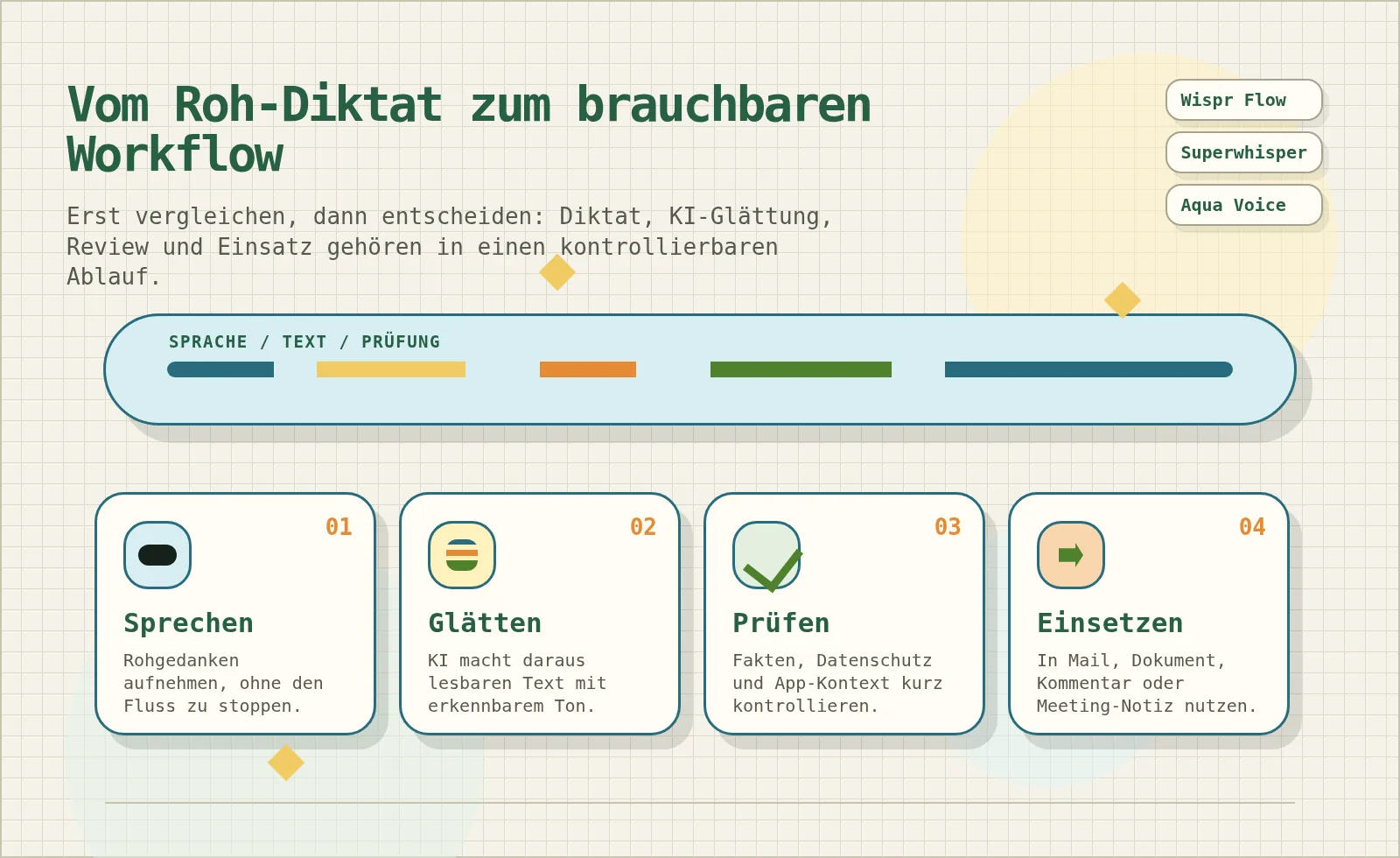
Voice workflow from rough dictation to reviewed text

Meeting, media and specialist workflows

Not every voice tool is meant to replace the keyboard everywhere. Otter.ai is better understood as a meeting assistant. It records, transcribes and summarizes conversations, which makes it useful for teams that need searchable meeting notes rather than a system-wide writing layer.

Descript belongs to another category again. It connects transcription with audio and video editing. For creators, podcasters and marketers, the ability to edit media through text can be more important than dictating into every application.

Dragon and similar professional dictation tools remain relevant in specialized fields such as medicine or law, where fixed vocabulary, domain accuracy and established workflows can be more important than fashionable AI features. Local Whisper-based tools such as MacWhisper are also useful when the goal is occasional transcription without a permanent subscription.

This is why the buying decision should start with the use case. Do you want to replace typing across the operating system, capture meetings, edit media, dictate technical notes or process sensitive information locally? Those are different jobs, and they point to different tools.

Risks: privacy, hallucinations and control

AI dictation creates a new layer between thought and published text. That layer can save time, but it can also change meaning. When a tool does more than literal transcription, it may smooth a sentence too aggressively, remove nuance or introduce wording that the speaker did not intend.

Privacy is the second major risk. Many voice tools process audio in the cloud. That can be acceptable for casual notes, but it becomes more sensitive for client data, legal work, medical information, internal strategy or code. Users should check retention settings, enterprise controls and whether local processing is available.

There are also practical limits. Speaking all day can be tiring. Open offices are not ideal for dictation. Background noise can reduce accuracy. And even a very good tool still needs review before the text is sent to a client, committed to documentation or used in a formal decision.

How to choose the right dictation app

For most people, Wispr Flow is the easiest first test because it is broad, polished and designed for daily writing rather than one narrow scenario. Start there if you want to see whether voice can replace a meaningful part of your typing habit.

Choose Superwhisper if privacy, local processing and custom modes are more important than a simple default experience. Choose Aqua Voice if technical vocabulary and context-aware writing are central to your work. Choose Otter.ai if meetings are the main problem. Choose Descript if your voice workflow ends in audio or video production.

The practical test is simple: use one tool for a week in real situations. Dictate short messages, longer notes, one technical explanation and one sensitive draft. Then measure not only raw speed, but also correction time. A dictation app is only productive when the final text is faster to produce and still feels like something you would actually send.

Sources

  1. Wispr Flow official site
  2. Wispr Flow pricing
  3. Flow plans and what is included
  4. Superwhisper official site
  5. Aqua Voice official site